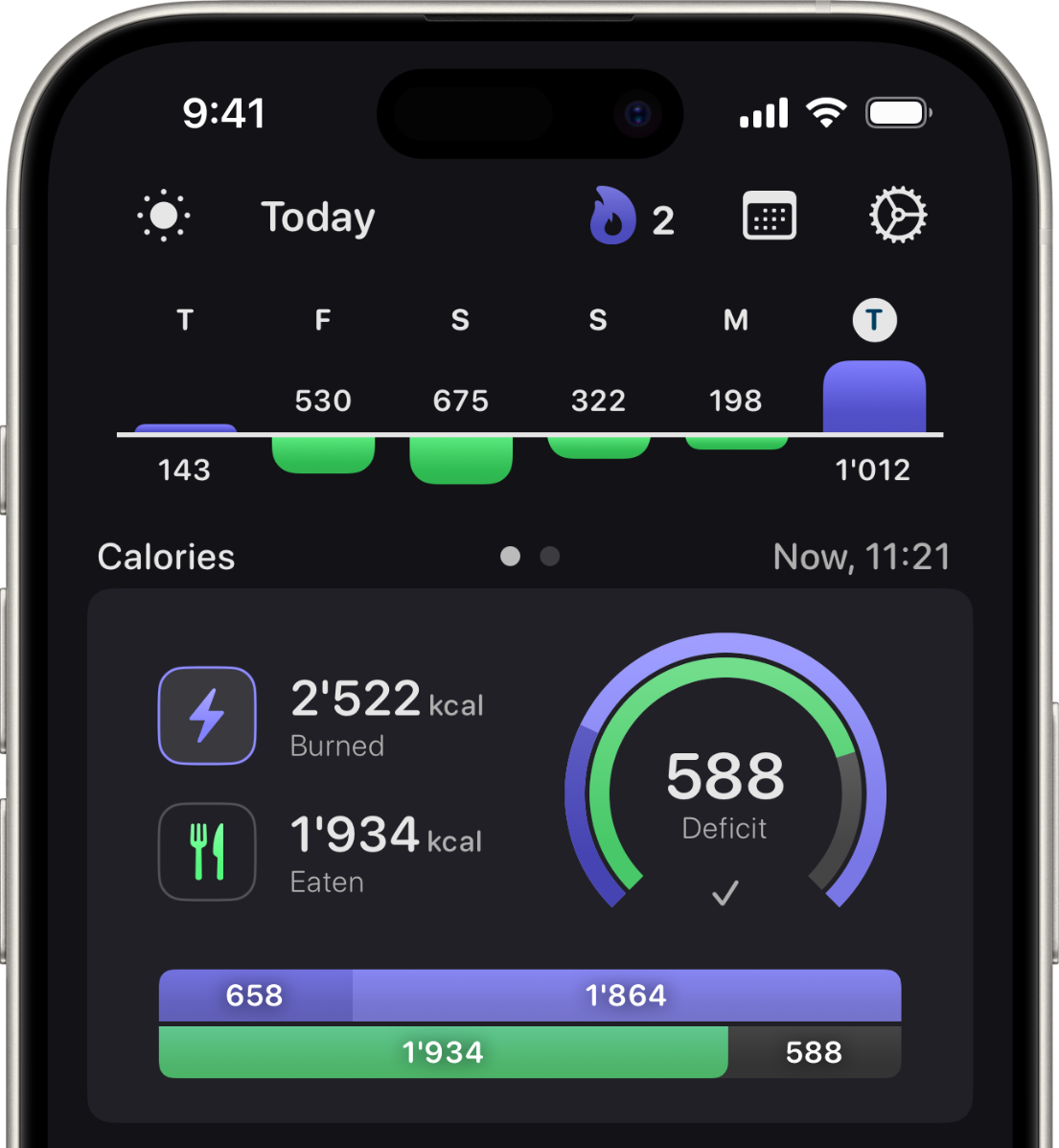
Losing weight is all about your calorie balance. It works like a simple math equation:
When your balance is negative, you're burning more calories than you eat: Your body is in a caloric deficit. Over time, it will use stored fat for energy, making you lose weight.
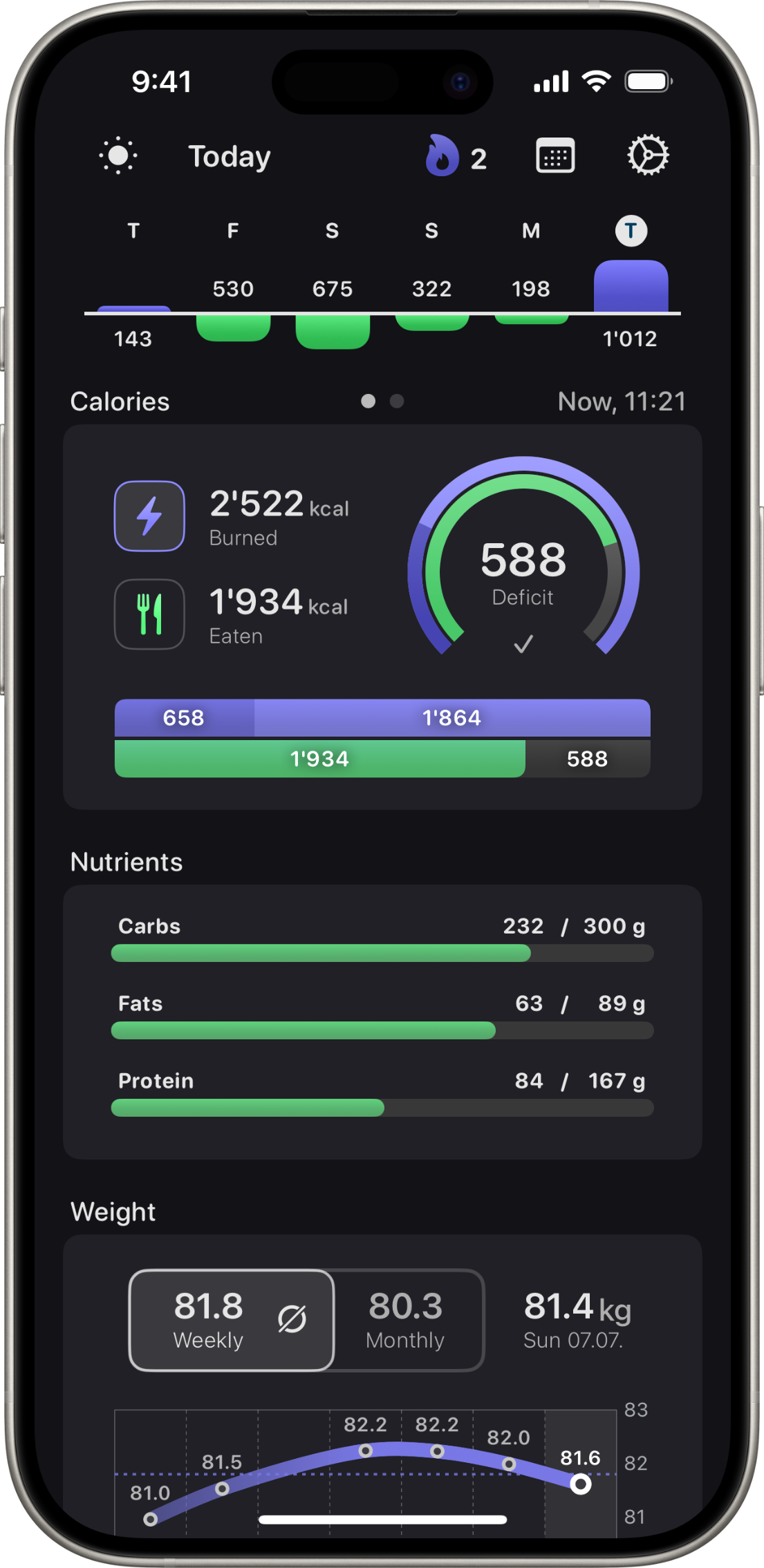
Calorie Balance Count.kcal shows your calories burned and calories eaten, displaying your caloric balance in glancable and easy to understand graphs.
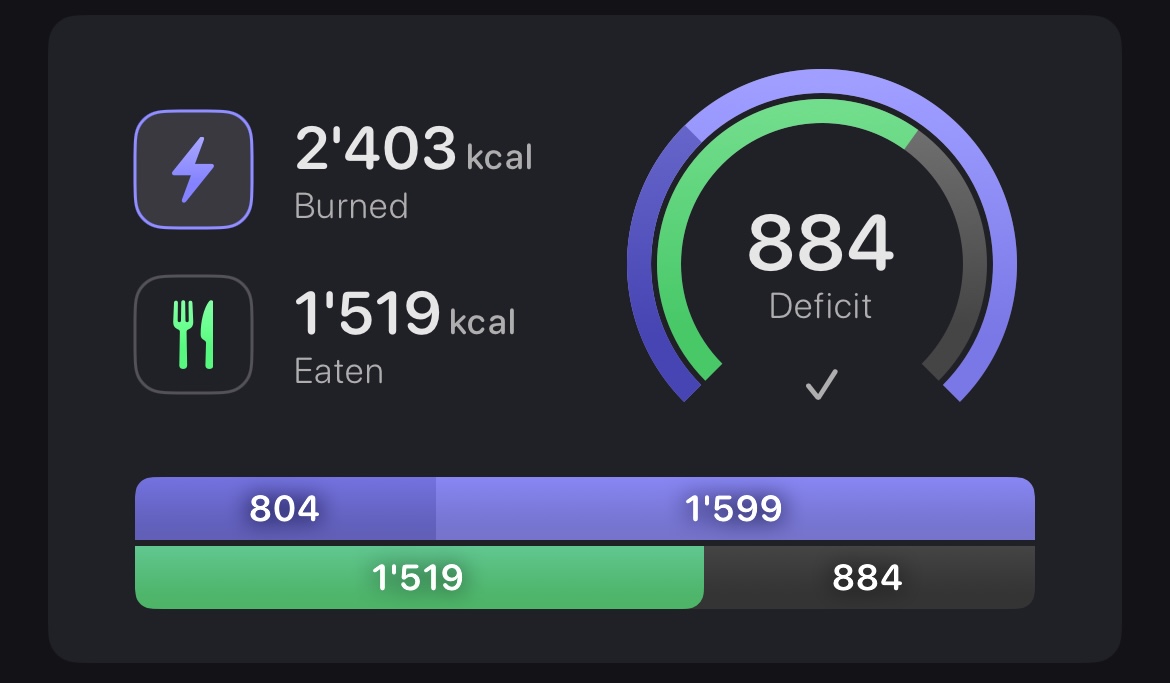
The calories burned sections of the graphs are split into active and resting calories, so you can see how your workouts contribute to your caloric deficit.
Midnight Balance If you want to know what your caloric balance will be at midnight if you stopped eating for the day, use the midnight view:
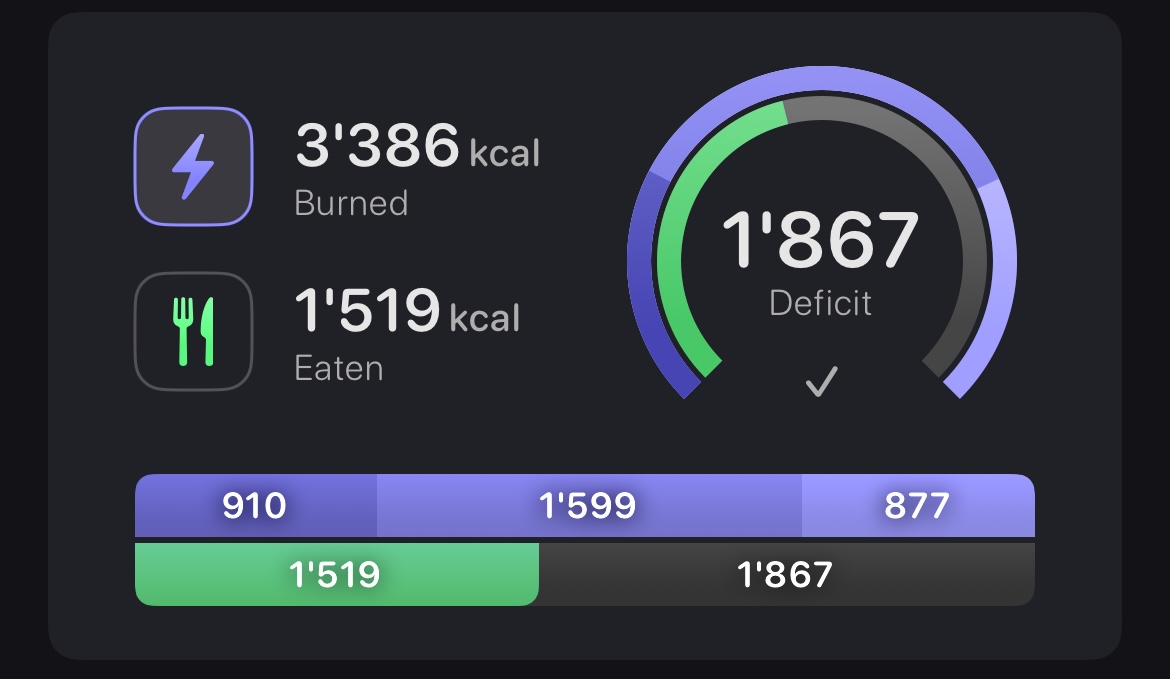
It calculates the amount of resting calories that you will additionally burn from now to midnight and includes them in the balance calculations.
Apple Health Count.kcal imports your calorie data from Apple Health, so you can use any third party food logger app that saves calories eaten to there.

If you use an Apple Watch to track your calories burned, Count.kcal can use that data. Have no watch? No problem! You can set your custom data manually.
Macronutrients Paying attention to the macros of your food (carbs, fats and protein) is key for long term weight loss success.
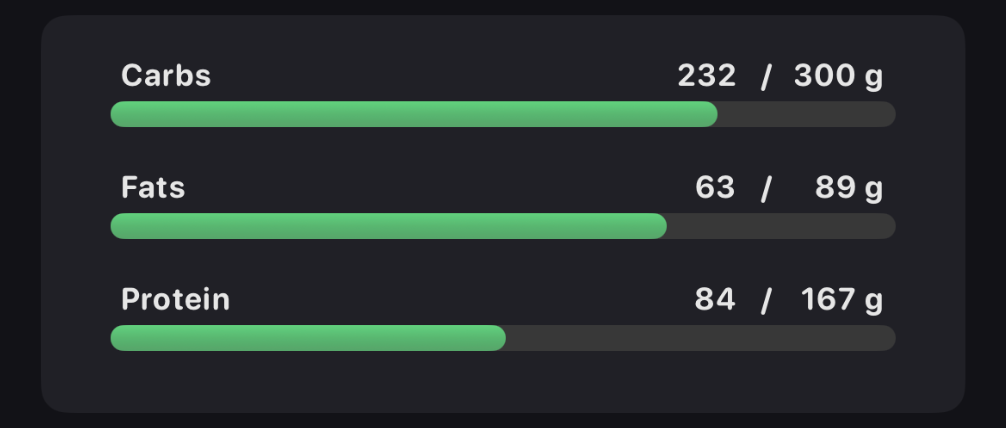
Getting enough protein helps preserve muscle and keeps you feeling full longer, making it easier to stick to your diet.
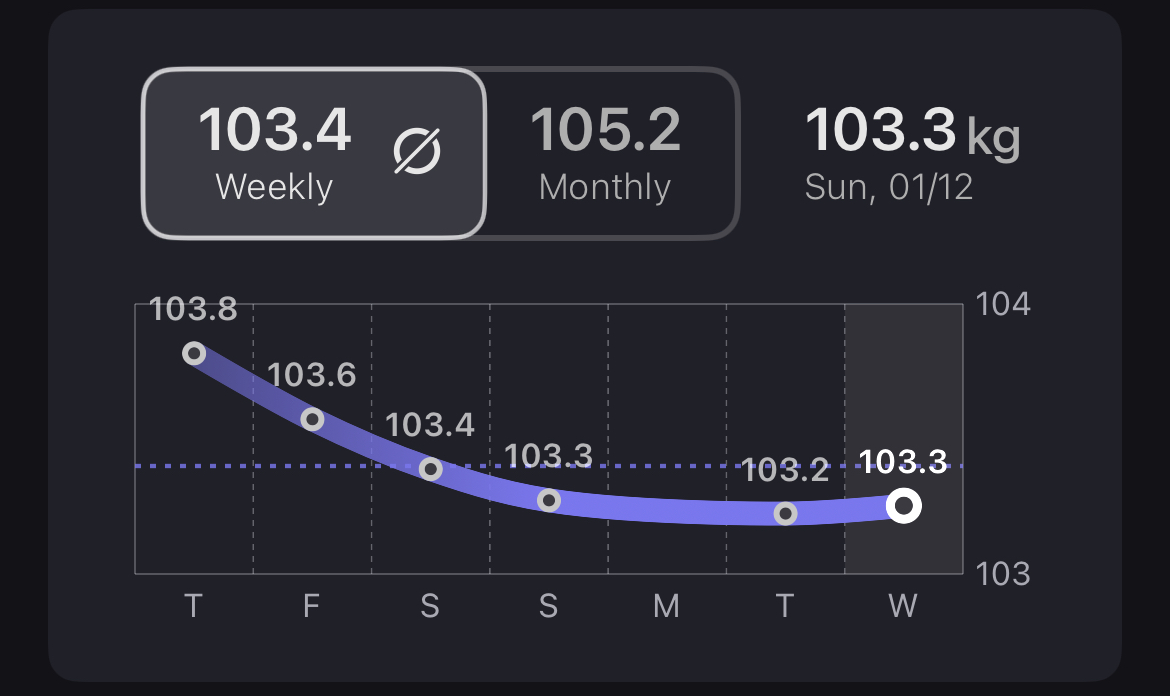
Weight Regularly weigh yourself to keep track of your progres, ideally in the morning after using the bathroom.
No more jumping between different apps to manage your weight loss journey. Everything you need to stay on track is right at your fingertips.
Customize Use Apple Health or your custom energy data and choose different color combinations to make Count.kcal your own.
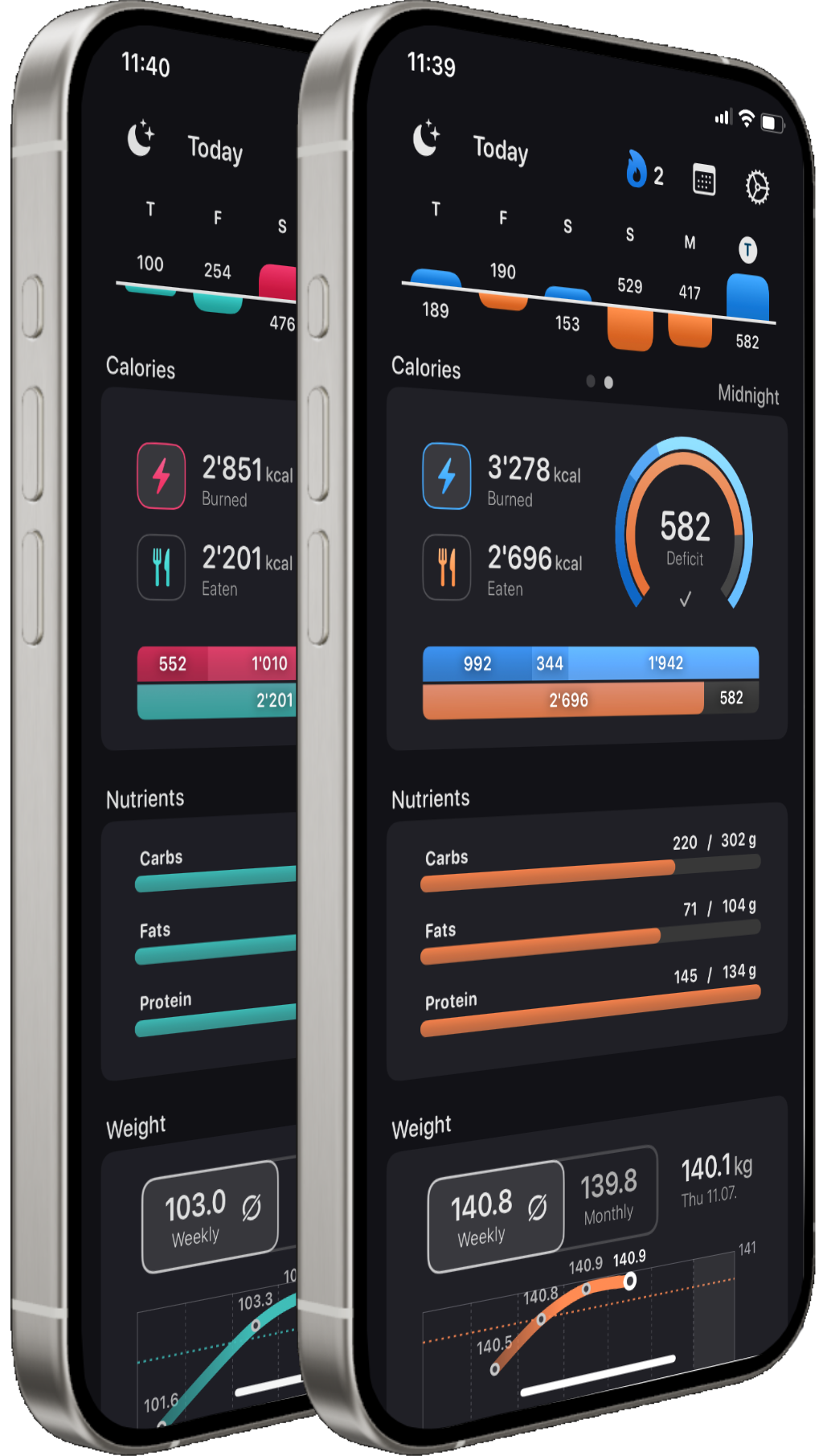
All in one With Count.kcal, you have all your relevant weight loss or weight gain data in one place. No more jumping between different apps!
Weekly Data
Caloric Balance
Macronutrients
Weight
Weight loss Losing weight is all about your calorie balance. It works like a simple math equation:
When your balance is negative, you're burning more calories than you eat: Your body is in a caloric deficit. Over time, it will use stored fat for energy, making you lose weight.
Apple Health Count.kcal imports your calorie data from Apple Health, so you can use any third party food logger app that saves calories eaten to there.
If you use an Apple Watch to track your calories burned, Count.kcal can use that data. Have no watch? No problem! You can set your custom data manually.
Calorie Balance Count.kcal shows your calories burned and calories eaten, displaying your caloric balance in glancable and easy to understand graphs.
The calories burned sections of the graphs are split into active and resting calories, so you can see how your workouts contribute to your caloric deficit.
Midnight Balance If you want to know what your caloric balance will be at midnight if you stopped eating for the day, use the midnight view:
It calculates the amount of resting calories that you will additionally burn from now to midnight and includes them in the balance calculations.
Macronutrients Paying attention to the macros of your food (carbs, fats and protein) is key for long term weight loss success.
Getting enough protein helps preserve muscle and keeps you feeling full longer, making it easier to stick to your diet.
Weight Regularly weigh yourself to keep track of your progres, ideally in the morning after using the bathroom.
No more jumping between different apps to manage your weight loss journey. Everything you need to stay on track is right at your fingertips.
Customize
By default, Count.kcal uses Apple Health data for calories burned and eaten. This allows Count.kcal to use the calories burned that your Apple Watch tracks.
If you don't have an Apple Watch (or its data is unreliable to you) you can set your custom burned calories data manually.
You can also choose from several color themes or even set totally custom color ombinations to make Count.kcal look the way you like it.
You can even adjust the darkness of dark-mode.